As Amazon Associates, we earn from qualifying purchases. This means we may receive a small commission at no extra cost to you if you click through and make a purchase.
As an Amazon Associate we earn from qualifying purchases. Links on this page are affiliate links.
This gaming monitor buying guide helps you pick the right screen for your setup. You will learn how resolution, refresh rate, and panel type affect your experience. We selected 8 options based strictly on their published specifications. This approach ensures you get accurate data for your decision. You can compare features like response time and connectivity without guesswork. Each pick targets a specific need, from competitive gaming to media consumption.
You will decide which balance of speed and clarity suits your games. The list includes models with high refresh rates for smooth motion. It also covers 4K and QHD options for sharper visuals. Some picks focus on large screens for immersion, while others prioritize compact sizes. You can match these specs to your desk space and GPU capabilities. Read on to see how each specification translates to real-world performance.
Key Specs for Your Gaming Monitor
Resolution and pixel density
Resolution defines the number of pixels on screen, directly impacting image sharpness. Higher resolutions like 4K or QHD offer clearer text and detailed visuals but require more powerful graphics hardware to drive them. Lower resolutions like 1080p are easier for GPUs to handle, allowing for higher frame rates on budget systems. You should match resolution to your screen size; a large 32-inch 1080p screen may look pixelated up close, while a 27-inch 4K screen offers excellent clarity. Consider your gaming genre and PC capabilities. The Dell 32-Inch 4K 120Hz Monitor provides high pixel density for media and mixed work, prioritizing visual fidelity over raw speed.
Look for
- 4K UHD for sharp media
- 1440p QHD for balance
- 1080p FHD for speed
Refresh rate and motion smoothness
Refresh rate measures how many times per second the screen updates its image, measured in Hertz. A higher refresh rate, such as 144Hz, 240Hz, or 300Hz, results in smoother motion and reduced blur during fast-paced action. This is critical for competitive shooters and racing games where split-second reactions matter. Standard 60Hz monitors can feel choppy in these scenarios. If you play single-player story games, lower refresh rates may suffice. High refresh rates often pair with lower resolutions or smaller screens to maintain performance. The Sceptre 34-Inch Curved 240Hz Ultrawide Monitor supports high-speed gaming with a 240Hz rate, ideal for immersive, fast-moving titles.
Look for
- 240Hz or 300Hz for speed
- 144Hz for smooth motion
- 120Hz for mixed use
Panel type and color accuracy
Panel type determines color reproduction, viewing angles, and contrast ratios. VA panels offer high contrast ratios, making blacks look deeper and images pop, which is great for movies and dark gaming environments. However, they may have slower response times. IPS panels provide superior color accuracy and wider viewing angles, making them ideal for creative work and general gaming. TN panels are rarely seen now due to poor colors. You should choose VA for contrast and immersion, or IPS for color fidelity. The Dell 32-Inch 4K 120Hz Monitor uses a VA panel, fitting users who value rich contrast and sharp visuals over extreme speed.
Look for
- VA for high contrast
- IPS for color accuracy
- Check viewing angles
Screen size and immersion
Screen size affects how immersive your gaming experience feels and how much desk space it occupies. Larger screens, such as 32-inch or ultrawide 34-inch models, fill more of your field of view, enhancing immersion in open-world or racing games. However, larger screens require higher resolutions to maintain sharpness. Smaller screens, like 24.5-inch or 27-inch models, are better for competitive gaming where you need to see the entire map easily and save desk space. Consider your viewing distance; closer seating suits larger screens. The Sceptre 32-Inch QHD 210Hz USB-C Monitor offers a large 32-inch canvas for strong immersion without sacrificing too much on response time.
Look for
- 34-inch for ultrawide immersion
- 32-inch for large canvas
- 27-inch for standard space
Response time and ghosting
Response time indicates how quickly a pixel can change from one color to another, measured in milliseconds. A lower response time, such as 1ms, reduces motion blur and ghosting, which are trailing effects behind moving objects. This is vital for fast-paced games where clarity is key. Most modern gaming monitors advertise 1ms response times, but verify the technology used. Slower response times can make fast movements look smeared. You should prioritize 1ms response times for competitive gaming. The SANSUI 24.5-Inch 300Hz QHD Gaming Monitor delivers high-speed performance with a 1ms response time, suitable for tight spaces and fast-paced gaming.
Look for
- 1ms response time for speed
- Check for ghosting issues
- Match with refresh rate
Connectivity and ports
Connectivity options determine how you connect your devices and manage cables. HDMI is standard for consoles and many PCs, while DisplayPort is common for high-refresh-rate PC gaming. USB-C ports can provide video, data, and power delivery in a single cable, simplifying setups for laptops and productivity. Built-in speakers save space but often lack quality, so external audio may still be needed. You should check for enough ports for all your devices. The Dell 27-Inch 1440p USB-C Monitor features USB-C connectivity, ideal for single-cable productivity and casual gaming with a tidy desk setup.
Look for
- HDMI for consoles
- USB-C for single cable
- DisplayPort for high refresh
Gaming Monitor Types by Specs
4K VA Displays
This type prioritizes image sharpness and contrast over speed. You get 4K UHD resolution on a VA panel, which delivers deep blacks and rich colors. The Dell S3225QS is a prime example. It uses FreeSync to reduce screen tearing. You should expect a 120Hz refresh rate, which is slower than competitive monitors. This model weighs 19.3 pounds and measures 28.1 inches wide. It suits mixed work and media use where pixel density matters more than high frame rates.
High Refresh Ultrawides
Ultrawide monitors offer immersive field of view with high speed. The Sceptre C345B-QU240T features a 240Hz refresh rate and 1ms response time. Its 34-inch curved screen enhances immersion for fast-paced games. You get built-in speakers and HDMI connectivity. The unit weighs 14 pounds and is 31.8 inches wide. This setup fits players who want large screen real estate without sacrificing motion smoothness. The trade-off is lower pixel density compared to 4K displays, but the speed benefits competitive play.
QHD Speed Monitors
These screens balance resolution and frame rate for versatile gaming. The SANSUI ES-G25F6Q Pro offers 1440p QHD resolution on an IPS panel. It reaches 300Hz for extreme speed, though some listings note 240Hz. The 1ms response time ensures minimal blur. It fits compact setups due to its 24.5-inch size. You get HDMI 2.1 support for modern consoles and PCs. The monitor weighs 21.9 inches in length. This type suits competitive gamers who need sharp visuals and high refresh rates in a smaller footprint.
Curved VA Panels
Curved VA panels provide immersive visuals with high contrast. The SANSUI ES-G32C3 features a 32-inch curved screen with 1440p resolution. You get a 180Hz refresh rate and FreeSync support. The VA panel type ensures deep blacks. It includes HDR support and built-in speakers. The monitor weighs 13.2 pounds and is 24.2 inches wide. This type suits players who prioritize screen size and color depth. The curve enhances peripheral vision. You trade some peak refresh speed for better immersion and contrast.
Common Gaming Monitor Mistakes
Ignoring GPU capability for high resolution
Picking a 4K monitor without a powerful graphics card leads to choppy gameplay. You must check if your hardware can maintain high frame rates at that resolution. Match your monitor’s pixel count to your GPU’s processing power for smooth performance.
Overlooking panel type for gaming needs
VA panels offer deep blacks but often have slower response times, causing ghosting in fast games. IPS panels provide faster speeds and better viewing angles. Choose your panel type based on whether you prioritize contrast or motion clarity for your specific genres.
Assuming all high refresh rates are equal
A 144Hz monitor is not the same as a 240Hz model for competitive shooters. Higher refresh rates reduce input lag and motion blur. Ensure your game settings and hardware can actually drive the frame rate your monitor supports to see the benefit.
Neglecting adaptive sync compatibility
Without FreeSync or G-Sync, screen tearing and stuttering can ruin immersion. Check that your monitor’s adaptive sync technology matches your graphics card brand. This feature synchronizes the refresh rate with the frame rate to deliver a smoother, more consistent visual experience.
| # | Product | Best for | Price |
|---|---|---|---|
| 1 | Dell 32-Inch 4K 120Hz Monitor | 4K media consumption and mixed work-gaming setups | |
| 2 | Dell 27-Inch 144Hz FHD Monitor | players wanting large screens with smooth motion | |
| 3 | Sceptre 34-Inch Curved 240Hz Ultrawide Monitor | Ultrawide curved gaming with high refresh rates | |
| 4 | Sceptre 32-Inch QHD 210Hz USB-C Monitor | immersive gaming with high color accuracy | |
| 5 | SANSUI 24.5-Inch 300Hz QHD Gaming Monitor | compact competitive gaming setups | |
| 6 | Dell 27-Inch 1440p USB-C Monitor | Single-cable productivity and casual gaming | |
| 7 | SANSUI 32-Inch Curved 240Hz Gaming Monitor | immersive high-refresh-rate gaming | |
| 8 | SANSUI 32-Inch Curved 180Hz Gaming Monitor | immersive gaming on large curved screens |

Dell 32-Inch 4K 120Hz Monitor
Best for: 4K media consumption and mixed work-gaming setups
- Screen Size
- 31.5"
- Resolution
- 3840×2160
- Refresh Rate
- 120Hz
- Response Time
- 4ms, 0.03ms
- Sync Technology
- FreeSync Premium
- HDR Support
- HDR readiness
The Dell S3225QS is a 31.5-inch 4K UHD monitor with a VA panel. It offers a 120Hz refresh rate and FreeSync Premium support. The 1500:1 contrast ratio delivers deep blacks, while 99% sRGB coverage ensures accurate colors. Improved ComfortView Plus reduces blue light. This display suits those who want sharp visuals and smooth motion for mixed work and gaming use.
- 3840×2160 4K UHD resolution for sharp detail
- 120Hz refresh rate with FreeSync Premium
- 99% sRGB and 95% DCI-P3 color coverage
- 1500:1 contrast ratio for deep blacks
- ComfortView Plus reduces blue light emissions
- 120Hz refresh rate is lower than the 240Hz and 300Hz options on this list
- 4ms response time is slower than the 1ms and 0.03ms specs of competitors
- 19.3-pound weight makes it heavier than many other monitors on the list
- You prioritize 4K resolution and color accuracy for creative work or media consumption
- You want a larger 32-inch screen for immersive gaming or multitasking
- You value high contrast ratios for watching movies in dark rooms
- You need the highest possible refresh rates like 240Hz or 300Hz for competitive esports
- You require the fastest response times of 1ms or lower for rapid motion clarity
- You prefer a lighter or more portable display for easy desk movement
Verdict: Dell S3225QS 32-inch 4K VA Monitor fits users who value sharp 4K visuals and rich contrast over extreme speed. It is ideal for mixed use where color accuracy and screen size matter more than top-tier gaming performance.

Dell 27-Inch 144Hz FHD Monitor
Best for: players wanting large screens with smooth motion
- Screen Size
- 27-inch
- Resolution
- 1920×1080
- Refresh Rate
- 144Hz
- Response Time
- 1ms MPRT
- Sync Technology
- AMD FreeSync
- Features
- Built-in Speakers
The Dell S2725HSM is a 27-inch gaming monitor with 1080p resolution and a 144Hz refresh rate. It features a 1ms MPRT response time and AMD FreeSync to reduce screen tearing. The panel includes built-in 3W speakers and TÜV-certified eye comfort technology. This display suits players who prioritize smooth motion and visual comfort over high pixel density.
- 144Hz refresh rate for smooth gameplay
- 1ms MPRT response time reduces motion blur
- Integrated dual 3W speakers for audio
- TÜV-certified low blue light protection
- 1080p resolution is lower than the 1440p or 4K options on this list
- 144Hz refresh rate is slower than the 210Hz, 240Hz, and 300Hz alternatives available
- 27-inch screen with 1080p results in lower pixel density than higher-resolution models
- You want a large 27-inch screen for comfortable viewing distance
- You prioritize high refresh rates and fast response times for competitive play
- You need built-in speakers to simplify your desk setup
- You require 1440p or 4K resolution for sharp image detail
- You need refresh rates above 144Hz for ultra-fast competitive gaming
- You prefer a curved display for immersive field of view
Verdict: Dell S2725HSM 27-inch 144Hz FHD fits players who value screen real estate and motion smoothness over pixel density. It is a practical option for those who want integrated audio and eye comfort features without seeking the highest resolution or speed available.

Sceptre 34-Inch Curved 240Hz Ultrawide Monitor
Best for: Ultrawide curved gaming with high refresh rates
- Screen Size
- 34"
- Resolution
- 3440 x 1440
- Refresh Rate
- 240Hz
- Response Time
- 1ms
- Screen Curvature
- 1500R
- Features
- Built-in Speakers
This Sceptre monitor offers a 34-inch curved screen with a 3440 x 1440 resolution. It delivers a 240Hz refresh rate and a 1ms response time for smooth gameplay. The 1500R curvature enhances immersion. Built-in speakers and Blue-Light Shift technology add convenience. It suits gamers who want high speed and a wide, curved display.
- 240Hz refresh rate for smooth visuals
- 1ms response time reduces blur
- 3440 x 1440 resolution on a 34-inch screen
- Built-in speakers save desk space
- 1500R curved design for immersion
- 14-pound weight is heavier than smaller 27-inch options
- 34-inch size is bulkier than standard 24 or 27-inch monitors
- 1500R curvature is less aggressive than some 1000R competitors
- You want a wide, curved ultrawide experience
- You prioritize high refresh rates for fast-paced games
- You need built-in speakers for simple setups
- You prefer a flat screen over a curved one
- You need a smaller 24 or 27-inch footprint
- You want a 4K UHD resolution for sharpness
Verdict: Sceptre 34-inch Curved Gaming Monitor fits players who want ultrawide immersion and high speed. Its 240Hz rate and 1ms response time support fast gaming on a large, curved canvas.

Sceptre 32-Inch QHD 210Hz USB-C Monitor
Best for: immersive gaming with high color accuracy
- Screen Size
- 32-inch
- Resolution
- 2560 x 1440
- Refresh Rate
- 210Hz
- Response Time
- 1ms BR
- Sync Technology
- AMD FreeSync Premium
- Features
- Built-in Speakers
This 32-inch monitor delivers 2560 x 1440 resolution with a 210Hz refresh rate and 1ms response time. It uses a VA panel for contrast and covers 115% of the sRGB color gamut. The display includes built-in speakers and USB Type-C connectivity. It suits players who want high refresh rates and large screens for immersive gaming.
- 210Hz refresh rate for smooth visuals
- 115% sRGB color gamut for vibrant images
- Built-in speakers reduce desk clutter
- USB Type-C port for versatile connectivity
- 1ms response time for fast action
- VA panel may have slower pixel transitions than IPS
- 10.1 pounds weight requires sturdy mounting
- Lower refresh rate than 240Hz competitors
- You want a large 32-inch screen for immersion
- You need USB Type-C connectivity for your devices
- You prioritize high color accuracy over pure speed
- You require the fastest possible response times
- You prefer a lighter monitor for easy moving
- You need higher than 210Hz refresh rates
Verdict: Sceptre 32-inch 2K Gaming Monitor offers a strong balance of size and speed for most gamers. It fits buyers who value color richness and connectivity over absolute peak performance. The large screen enhances immersion without sacrificing too much on response time.
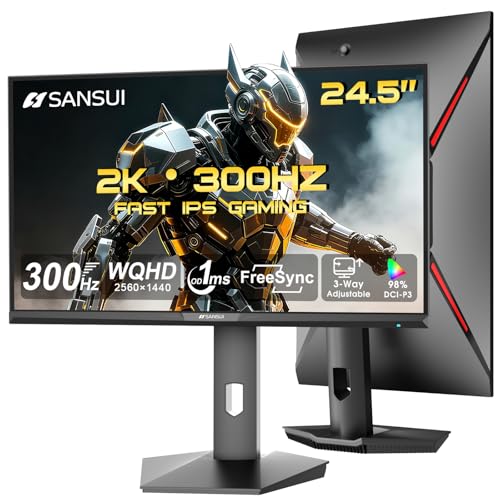
SANSUI 24.5-Inch 300Hz QHD Gaming Monitor
Best for: compact competitive gaming setups
- Screen Size
- 24.5"
- Resolution
- 2560 x 1440
- Refresh Rate
- 300Hz
- Response Time
- 1ms
- Panel Type
- Fast IPS
- Sync Technology
- FreeSync
This SANSUI monitor pairs a fast IPS panel with a 300Hz refresh rate and 2560 x 1440 resolution. It targets competitive gamers who need high frame rates and sharp visuals. The display offers a 1ms response time and FreeSync support to reduce tearing. You get multiple connection options, including HDMI 2.1 and DisplayPort 1.4. The stand provides height, pivot, and swivel adjustments for better ergonomics during long sessions.
- 300Hz refresh rate for smooth motion
- 2560 x 1440 QHD resolution
- Fast IPS panel with 1ms response time
- Ergonomic stand with height and pivot adjustment
- Smaller 24.5-inch screen compared to 27-inch or 32-inch options on this list
- Lower 350 nits brightness limit compared to higher-end models
- No built-in speakers on the unit
- You want high refresh rates for competitive gaming
- You prefer a smaller desk footprint
- You need QHD clarity with fast response times
- You need a larger 27-inch or 32-inch display
- You require built-in audio speakers
- You prefer VA panel contrast over IPS speed
Verdict: SANSUI 24.5" 300Hz QHD Monitor delivers high-speed performance in a compact size. It fits buyers who prioritize frame rates and screen sharpness over large viewing areas. This model suits tight spaces and fast-paced gaming.

Dell 27-Inch 1440p USB-C Monitor
Best for: Single-cable productivity and casual gaming
- Screen Size
- 27"
- Resolution
- 2560×1440
- Refresh Rate
- 75Hz
- Response Time
- 4ms
- Sync Technology
- AMD FreeSync
- Connectivity
- USB
The Dell S2722DC is a 27-inch WQHD monitor with a 75Hz refresh rate and 4ms response time. It features AMD FreeSync for tear-free visuals and a USB-C port delivering 65W of power delivery. The stand offers height, tilt, swivel, and pivot adjustments. This display suits users who prioritize a clean, single-cable setup for productivity and casual gaming over high-speed competitive performance.
- 2560×1440 WQHD resolution for sharp detail
- USB-C connectivity with 65W power delivery
- Height-adjustable stand with pivot capability
- AMD FreeSync technology reduces screen tearing
- 75Hz refresh rate is lower than the 144Hz to 300Hz range of other picks
- 4ms response time is slower than the 1ms options available elsewhere
- 27-inch size is smaller than the 32-inch models on the list
- You want a single USB-C cable for video, data, and charging
- You need a monitor with a height-adjustable and pivoting stand
- You prioritize image clarity for work and casual gaming
- You require a high refresh rate above 100Hz for competitive gaming
- You prefer a larger 32-inch screen for immersive viewing
- You need a response time of 1ms for fast-paced action
Verdict: Dell S2722DC 27-inch 1440p Monitor is a practical choice for professionals and casual gamers who value a tidy desk setup and sharp 1440p visuals over high-speed frame rates.

SANSUI 32-Inch Curved 240Hz Gaming Monitor
Best for: immersive high-refresh-rate gaming
- Screen Size
- 32"
- Resolution
- 1920×1080
- Refresh Rate
- 240Hz
- Response Time
- 1ms MPRT
- Sync Technology
- FreeSync
- HDR Support
- HDR
This SANSUI monitor pairs a 32-inch curved screen with a 240Hz refresh rate. You get Full HD 1080p resolution and a 1500R curvature for immersion. The 1ms MPRT response time and FreeSync support help reduce stuttering. It includes HDR technology and a 125% sRGB color gamut. This setup suits gamers who want high speed on a large display.
- 240Hz refresh rate for smooth gameplay
- 1500R curved screen for immersion
- 1ms MPRT response time
- 125% sRGB color gamut coverage
- VESA compatible mounting options
- Full HD 1080p resolution on a 32-inch panel reduces pixel density
- 3500:1 contrast ratio is lower than typical IPS alternatives
- 9.7-pound weight is bulkier than many 27-inch competitors
- You prioritize high refresh rates and curvature over sharpness
- You want a large 32-inch display for immersive gaming
- You need VESA mounting flexibility for your desk setup
- You require 4K or QHD resolution for crisp text
- You prefer flat screens over curved designs
- You need built-in speakers for audio output
Verdict: SANSUI 32-Inch 240Hz Curved Monitor delivers high-speed gaming on a large, immersive screen. It fits players who value refresh rate and curvature more than pixel density.
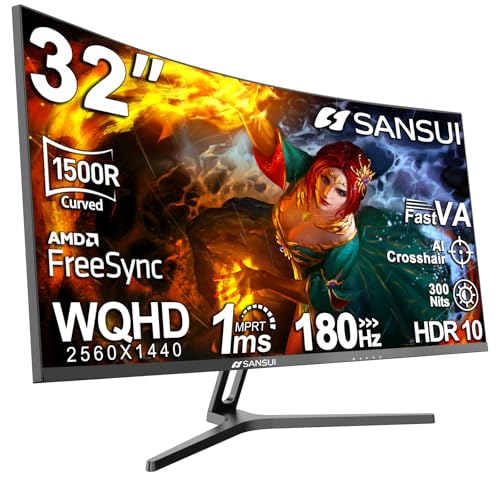
SANSUI 32-Inch Curved 180Hz Gaming Monitor
Best for: immersive gaming on large curved screens
- Screen Size
- 32"
- Resolution
- 2560 x 1440
- Refresh Rate
- 180Hz
- Response Time
- 1ms
- Panel Type
- Fast VA
- Sync Technology
- FreeSync
This 32-inch curved monitor offers WQHD resolution with a 1500R curvature for an immersive field of view. It delivers 180Hz refresh rates and 1ms response times on a Fast VA panel. The display covers 125% sRGB and 95% DCI-P3 color spaces. It includes FreeSync support and HDR capabilities. You will find this setup suitable for gaming sessions where visual immersion and smooth motion are priorities.
- 180Hz refresh rate for smooth gameplay
- 1500R curved screen for immersion
- 125% sRGB and 95% DCI-P3 color coverage
- 1ms OD response time on Fast VA panel
- 180Hz refresh rate is lower than the 210Hz and 240Hz options on this list
- 13.2-pound weight is heavier than smaller 24-inch or 27-inch alternatives
- 300 nits brightness is lower than many high-end gaming displays
- You want a large 32-inch screen for immersive gaming
- You prefer the deep contrast of a VA panel
- You need high color accuracy with 95% DCI-P3 coverage
- You require the highest possible refresh rate like 240Hz or 300Hz
- You prefer a flat screen over a curved 1500R design
- You need built-in speakers for audio output
Verdict: SANSUI 32-Inch Curved 180Hz Monitor is a solid choice for players who prioritize screen size and color depth over maximum frame rates. It fits those who want a curved VA panel for immersive visuals.
Specifications side by side
| Spec | Dell 32-Inch 4K 120Hz Monitor | Dell 27-Inch 144Hz FHD Monitor | Sceptre 34-Inch Curved 240Hz Ultrawide Monitor | Sceptre 32-Inch QHD 210Hz USB-C Monitor | SANSUI 24.5-Inch 300Hz QHD Gaming Monitor | Dell 27-Inch 1440p USB-C Monitor | SANSUI 32-Inch Curved 240Hz Gaming Monitor | SANSUI 32-Inch Curved 180Hz Gaming Monitor |
|---|---|---|---|---|---|---|---|---|
| Screen Size | 31.5" | 27-inch | 34" | 32-inch | 24.5" | 27" | 32" | 32" |
| Resolution | 3840×2160 | 1920×1080 | 3440 x 1440 | 2560 x 1440 | 2560 x 1440 | 2560×1440 | 1920×1080 | 2560 x 1440 |
| Refresh Rate | 120Hz | 144Hz | 240Hz | 210Hz | 300Hz | 75Hz | 240Hz | 180Hz |
| Response Time | 4ms, 0.03ms | 1ms MPRT | 1ms | 1ms BR | 1ms | 4ms | 1ms MPRT | 1ms |
| Panel Type | – | – | – | – | Fast IPS | – | – | Fast VA |
| Sync Technology | FreeSync Premium | AMD FreeSync | – | AMD FreeSync Premium | FreeSync | AMD FreeSync | FreeSync | FreeSync |
| HDR Support | HDR readiness | – | – | – | HDR | – | HDR | HDR |
| Screen Curvature | – | – | 1500R | – | – | – | 1500R | 1500R |
| Material | – | – | – | – | – | – | Metal | – |
| Features | – | Built-in Speakers | Built-in Speakers | Built-in Speakers | – | – | HDR | HDR |
| Color | Ash White | Ash White | Machine Black | Machine Black | Black | Platinum Silver | Black | Black |
| Platform | – | – | – | – | – | – | PC | – |
| Use | – | – | Gaming | Gaming | Gaming | – | Gaming | Gaming |
| Connectivity | – | – | – | USB | – | USB | – | – |
| Charging Port | – | – | – | – | – | USB-C | – | – |
| Capture Resolution | 4K | – | – | – | – | – | 1080p | – |
| Video Interface | HDMI | HDMI | HDMI | HDMI | HDMI, HDMI 2.1 | – | HDMI | HDMI |
| Dimensions | 8.73 × 28.1 × 17.6 inches | 7.95 × 24 × 15.3 inches | 8.5 × 31.8 × 18 inches | 8.32 × 28.2 × 19.5 inches | 21.9 × 8.66 × 21 inches | 6.88 × 24.1 × 15.8 inches | 24.2 × 8.06 × 17.8 inches | 8.06 × 24.2 × 17.8 inches |
| Weight | 19.3 pounds | 12.6 pounds | 14 pounds | 10.1 pounds | – | 11.9 pounds | 9.7 pounds | 13.2 pounds |
| Size | S3225QS | S2725HSM | 34 inches | 32 inches | 25 Inch | 27 inches | 32 inch | 32 Inch |
| Model | S3225QS | S2725HSM | C345B-QU240T | E325B-QW200D | ES-G25F6Q Pro | S2722DC | ES-G32C1F | ES-G32C3 |
Frequently asked questions
Which gaming monitor offers the best 4K resolution?
The Dell S3225QS provides 4K UHD resolution on a 32-inch VA panel. This combination delivers sharp visuals and deep contrast, making it ideal for media consumption. It uses FreeSync to help reduce screen tearing during mixed work and gaming sessions.
What is the highest refresh rate available in these picks?
The SANSUI ES-G25F6 Pro features a 300Hz refresh rate. This high speed supports fast-paced competitive gaming by reducing motion blur. It pairs this rate with a 24.5-inch QHD display for sharp images in compact setups.
Are there curved gaming monitors with high refresh rates?
Yes, the Sceptre C345B-QU240T and SANSUI ES-G32C1F both offer curved designs. The Sceptre model reaches 240Hz on a 34-inch ultrawide screen. The SANSUI option provides 240Hz on a 32-inch FHD display, both using 1ms response times for smooth motion.
Which monitor supports USB-C connectivity for single-cable setups?
The Dell S2722DC includes USB-C connectivity. It allows you to connect your device with a single cable for data and display. This model offers 1440p QHD resolution, making it practical for productivity and casual gaming without cluttered desk setups.
Do any of these monitors include built-in speakers?
Several models feature built-in speakers to save desk space. The Dell S2725HSM, Sceptre C345B-QU240T, and Sceptre E325B-QW200D all include this feature. This allows you to hear game audio directly from the monitor without needing external speakers or headphones.
What panel types are used in these gaming monitors?
The selection includes VA and IPS panels. The Dell S3225QS and SANSUI ES-G32C3 use VA panels for high contrast and deep blacks. The SANSUI ES-G25F6 Pro uses an IPS panel, which typically offers better color accuracy and viewing angles for competitive play.
Which monitor is best for players who want large screen real estate?
The Sceptre C345B-QU240T offers a 34-inch ultrawide screen for maximum immersion. It combines this size with a 240Hz refresh rate. Alternatively, the Dell S2725HSM provides a 27-inch FHD display, prioritizing screen size and motion smoothness over pixel density for comfortable viewing.

