As Amazon Associates, we earn from qualifying purchases. This means we may receive a small commission at no extra cost to you if you click through and make a purchase.
As an Amazon Associate we earn from qualifying purchases. Links on this page are affiliate links.
Finding the best gaming PCs with Windows 11 requires looking at published specifications rather than marketing claims. We compared 15 models to help you decide which system fits your needs. The Alienware Aurora RTX 5070 Gaming Desktop leads this list. It offers onsite support and Wi-Fi 7 connectivity alongside its RTX 5070 graphics card. These picks are based strictly on the specs listed on each product page. This guide helps you choose a machine by comparing storage, RAM, and cooling types.
Match RAM and GPU to your resolution
You should align your RAM and graphics card with your target resolution. Systems like the Skytech King 95 RTX 5080 offer 32GB DDR5 RAM and high-end GPUs for 4K gaming. In contrast, the OKAMUS Core i5 with 8GB RAM suits only basic tasks. Check these specs to ensure your PC handles your desired games smoothly.
| # | Product | Best for | Price |
|---|---|---|---|
| 1 | Alienware Aurora RTX 5070 Gaming Desktop Best overall | Users prioritizing onsite support and Wi-Fi 7 | |
| 2 | Skytech King 95 RTX 5070 Ti Gaming PC Best premium | High-end 1440p gaming and content creation | |
| 3 | STGAubron Core i5 RX 550 Gaming Desktop Also great | casual gaming and streaming on a budget | |
| 4 | MSI Codex Z2 RTX 5070 Gaming Desktop Best vr | VR gaming and multitasking | |
| 5 | CyberPowerPC Ryzen 9 9900X RTX 5070 Gaming PC Also great | Users needing high core counts and DDR5 RAM | |
| 6 | Olialia RTX 3060 Ti Ryzen 5 5500 Gaming PC Also great | 1440p gaming on a budget | |
| 7 | CyberPowerPC Gamer Master RTX 5060 Ti Desktop Also great | 1080p gaming with balanced DDR5 specs | |
| 8 | OKAMUS Core i5 Desktop with 8GB RAM Best budget | Basic gaming and light multitasking | |
| 9 | Skytech King 95 RTX 5080 Ryzen 7 Gaming PC Also great | high-end 4K gaming and content creation | |
| 10 | KOTIN Ryzen 7 8700F RTX 5060 Ti Gaming PC Best 1080p | 1080p and 1440p gaming with modern connectivity | |
| 11 | iBUYPOWER Element RTX 5070 Ryzen 9 Gaming PC Best white | white gaming PCs with 32GB RAM | |
| 12 | KOTIN RTX 5070 Ryzen 7 9700X Gaming PC Also great | players wanting integrated monitoring and DDR5 speed | |
| 13 | OKAMUS Core i7 Integrated Graphics PC Best intel core i7 | Office productivity and multitasking | |
| 14 | STGAubron Ryzen 5 RTX 3050 Gaming Desktop Best grey | budget gaming and streaming tasks | |
| 15 | Evounic Ryzen 7 8700F RTX 4060 Ti Gaming PC Best mechanical | 1080p gaming with included mechanical peripherals |
The best fit for you
- You want onsite support and Wi-Fi 7 – Alienware Aurora RTX 5070 Gaming Desktop – This Alienware model prioritizes onsite service and includes Wi-Fi 7 connectivity.
- You need high-end 1440p performance and liquid cooling – Skytech King 95 RTX 5070 Ti Gaming PC – The Skytech King 95 uses a Ryzen 7 9800X3D and liquid cooling for premium power.
- You are on a tight budget for basic gaming – OKAMUS Core i5 Desktop with 8GB RAM – The OKAMUS i5 offers 8GB RAM and integrated graphics for light multitasking.

Alienware Aurora RTX 5070 Gaming Desktop
Best for: Users prioritizing onsite support and Wi-Fi 7
- Operating System
- Windows 11
- Graphics Card
- NVIDIA GeForce RTX 5070
- Processor
- Intel Core Ultra 7 265F
- RAM Capacity
- 32GB
- RAM Type
- DDR5
- Storage Capacity
- 1TB SSD
The Alienware Aurora pairs an Intel Core Ultra 7 265F processor with an NVIDIA GeForce RTX 5070 graphics card. It includes 32GB of DDR5 RAM and a 1TB SSD. The system runs Windows 11 Home and features Wi-Fi 7 connectivity. This setup supports high-end gaming and multitasking. The chassis offers customizable AlienFX lighting zones. You get one year of onsite service support.
- Intel Core Ultra 7 265F processor for strong multi-tasking
- NVIDIA GeForce RTX 5070 graphics powered by Blackwell architecture
- 32GB DDR5 RAM ensures smooth performance
- Wi-Fi 7 wireless standard for fast connectivity
- 1TB SSD storage for games and files
- 1TB SSD is half the capacity of the 2TB drives in the Skytech and MSI options
- 33.9-pound weight is heavier than typical compact desktops
- 16.5-inch height is taller than many low-profile cases
- You want a prebuilt system with a modern Intel Ultra processor
- You need onsite warranty support for hardware issues
- You prefer a chassis with customizable AlienFX lighting zones
- You need more than 1TB of internal storage
- You prefer a lighter or more compact form factor
- You are looking for a system with an AMD Ryzen processor
Verdict: Alienware Aurora RTX 5070 Gaming PC suits users who value brand support and modern Intel internals. It fits those who prioritize onsite service and Wi-Fi 7 connectivity over maximum storage capacity.

Skytech King 95 RTX 5070 Ti Gaming PC
Best for: High-end 1440p gaming and content creation
- Operating System
- Windows 11
- Graphics Card
- NVIDIA Geforce RTX 5070 Ti 16GB GDDR7
- Processor
- AMD Ryzen 7 9800X3D
- RAM Capacity
- 32GB
- RAM Type
- DDR5 6000
- Storage Capacity
- 2TB Gen4 NVMe M.2 SSD
This Skytech desktop pairs an AMD Ryzen 7 9800X3D processor with an NVIDIA GeForce RTX 5070 Ti graphics card. You get 32GB of DDR5 RAM and a 2TB Gen4 NVMe SSD for fast storage. The system includes a 360mm AIO liquid cooler to manage heat. It runs Windows 11 Home and targets high-performance gaming at 1440p resolution.
- AMD Ryzen 7 9800X3D CPU with 5.2GHz turbo boost
- NVIDIA GeForce RTX 5070 Ti with 16GB GDDR7 memory
- 32GB DDR5 6000MHz RAM
- 2TB Gen4 NVMe M.2 SSD storage
- 360mm AIO liquid CPU cooler
- Wi-Fi 5 (802.11 AC) standard instead of newer Wi-Fi 6
- Weighs 48.3 pounds, making it heavier than many competitors
- You want top-tier 1440p gaming performance
- You prefer liquid cooling for sustained loads
- You need a large 2TB storage drive
- You require the latest Wi-Fi 6E or Wi-Fi 7 connectivity
- You need a compact or lightweight desktop
- You are on a strict budget for entry-level specs
Verdict: Skytech Ryzen 7 9800X3D Gaming PC delivers premium 1440p performance for users who prioritize raw power and efficient liquid cooling over portability or the newest wireless standards.

STGAubron Core i5 RX 550 Gaming Desktop
Best for: casual gaming and streaming on a budget
- Operating System
- Windows 11
- Graphics Card
- Radeon RX 550 4G GDDR5
- Processor
- Intel Core i5
- RAM Capacity
- 16GB
- Storage Capacity
- 512GB SSD
- Wireless Standard
- Wi-Fi 6
This STGAubron desktop pairs an Intel Core i5 processor with 16GB of RAM and a 512GB SSD. It runs Windows 11 Home and includes Wi-Fi 6. The Radeon RX 550 graphics card handles light gaming and streaming tasks. It is a solid option for users who need a reliable machine for study, business, or casual play without demanding high-end graphical performance.
- Intel Core i5 processor up to 3.6GHz
- 16GB RAM for multitasking
- Wi-Fi 6 connectivity
- 512GB SSD storage
- Radeon RX 550 GPU is weaker than the RTX cards in other list items
- 512GB SSD is smaller than the 1TB or 2TB drives found elsewhere
- 16GB RAM is less than the 32GB standard in many competitors
- You need a PC for streaming and video editing on a budget
- You play lighter titles like Fortnite or Valorant
- You want a system with Wi-Fi 6 included
- You require high-end graphics for modern AAA games
- You need more than 512GB of storage space
- You want an RTX graphics card for ray tracing
Verdict: STGAubron i5 RX 550 Gaming PC is a capable entry-level tower for casual gamers and streamers who prioritize connectivity and basic performance over raw graphical power.

MSI Codex Z2 RTX 5070 Gaming Desktop
Best for: VR gaming and multitasking
- Operating System
- Windows 11
- Graphics Card
- NVIDIA GeForce RTX 5070
- Processor
- AMD Ryzen 7 8700F
- RAM Capacity
- 32GB
- RAM Type
- DDR5
- Storage Capacity
- 2TB SSD
The MSI Codex Z2 pairs an AMD Ryzen 7 8700F processor with an NVIDIA GeForce RTX 5070 graphics card. It includes 32GB of DDR5 RAM and a 2TB SSD. This configuration supports VR gaming and handles demanding titles. The system runs Windows 11 Home and uses a multi-fan cooling setup to manage heat during extended sessions.
- NVIDIA GeForce RTX 5070 GPU for high-end graphics
- 32GB DDR5 RAM for multitasking
- 2TB SSD storage capacity
- AMD Ryzen 7 8700F 8-core processor
- Heavier at 21.3 pounds compared to some competitors
- Larger footprint with a 19-inch height
- Windows 11 Home OS limits advanced business features
- You need VR-ready performance with a modern GPU
- You want 32GB of DDR5 RAM for heavy workloads
- You prefer a compact tower with substantial storage
- You require Windows 11 Pro for business use
- You need a lighter system under 20 pounds
- You prefer a smaller case under 15 inches tall
Verdict: MSI Codex Z2 RTX 5070 Gaming PC fits users who prioritize VR capabilities and ample DDR5 memory in a single tower. It is ideal for gamers who want high-end graphics without managing multiple components.
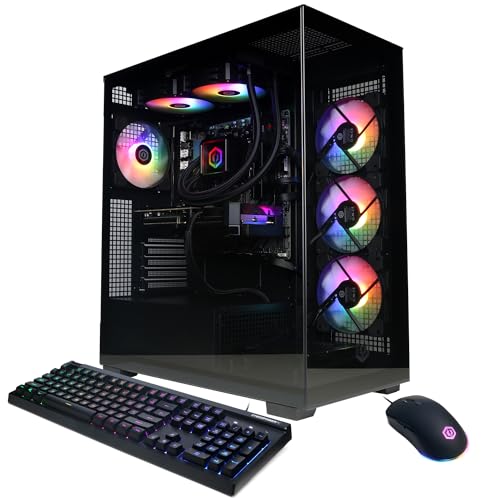
CyberPowerPC Ryzen 9 9900X RTX 5070 Gaming PC
Best for: Users needing high core counts and DDR5 RAM
- Operating System
- Windows 11
- Graphics Card
- NVIDIA GeForce RTX 5070 12GB
- Processor
- AMD Ryzen 9 9900X
- RAM Capacity
- 32GB
- RAM Type
- DDR5
- Storage Capacity
- 1TB PCIe 4.0 NVMe SSD
This desktop pairs an AMD Ryzen 9 9900X processor with an NVIDIA GeForce RTX 5070 graphics card. It includes 32GB of DDR5 RAM and a 1TB PCIe 4.0 NVMe SSD. The system runs Windows 11 Home and uses liquid cooling for the CPU. You get WiFi 6 connectivity and a set of peripherals. It suits gamers who want high core counts and modern memory standards.
- AMD Ryzen 9 9900X 12-core processor
- NVIDIA GeForce RTX 5070 12GB graphics
- 32GB DDR5 RAM
- Liquid CPU cooling
- 1TB PCIe 4.0 NVMe SSD
- 1TB storage capacity is smaller than the 2TB drives found in several other options
- WiFi 6 standard is older than WiFi 6E or WiFi 7 in newer competitors
- You want a 12-core processor for heavy multitasking
- You prefer DDR5 memory for future-proofing
- You need liquid cooling for sustained performance
- You require 2TB of storage without adding extra drives
- You need the latest WiFi 6E or WiFi 7 connectivity
- You are looking for a system with integrated graphics only
Verdict: CyberPowerPC Ryzen 9 9900X Gaming PC is a solid choice for users who prioritize high core counts and DDR5 memory. It fits gamers who want a strong CPU paired with a capable RTX 5070 GPU.

Olialia RTX 3060 Ti Ryzen 5 5500 Gaming PC
Best for: 1440p gaming on a budget
- Operating System
- Windows 11
- Graphics Card
- RTX 3060 Ti
- Processor
- AMD Ryzen 5 5500
- RAM Capacity
- 16GB
- Storage Capacity
- 512GB SSD
- Cooling Type
- RGB CPU cooler
This prebuilt desktop pairs an AMD Ryzen 5 5500 processor with an NVIDIA RTX 3060 Ti graphics card. It includes 16GB of DDR4 RAM and a 512GB SSD. The system runs Windows 11 and features WiFi 6 connectivity. You get a compact mid-tower case with dual tempered glass panels and RGB lighting. It is designed for smooth 1440p gaming and efficient cooling.
- RTX 3060 Ti supports 1440p gaming at 60+ FPS
- Ryzen 5 5500 provides 6 cores and 12 threads
- Includes WiFi 6 for wireless connectivity
- Dual tempered glass panels for visibility
- 512GB SSD storage is smaller than the 1TB or 2TB drives in other list options
- 16GB RAM capacity is lower than the 32GB or 64GB configurations found elsewhere
- DDR4 RAM is an older standard compared to the DDR5 memory used by most competitors
- You want to play AAA titles at 1440p resolution
- You prefer a compact case with visible RGB lighting
- You need WiFi 6 built into the system
- You require DDR5 RAM for maximum future-proofing
- You need more than 512GB of storage without upgrading
- You are looking for a high-end RTX 50-series graphics card
Verdict: Olialia RTX 3060 Ti Ryzen 5 Gaming PC fits players who prioritize 1440p performance and visual customization over maximum RAM capacity or latest-generation memory standards.

CyberPowerPC Gamer Master RTX 5060 Ti Desktop
Best for: 1080p gaming with balanced DDR5 specs
- Operating System
- Windows 11
- Graphics Card
- NVIDIA GeForce RTX 5060 Ti 8GB
- Processor
- AMD Ryzen 7 8700F
- RAM Capacity
- 16GB
- RAM Type
- DDR5
- Storage Capacity
- 1TB PCIe 4.0 NVMe SSD
This desktop pairs an AMD Ryzen 7 8700F processor with an NVIDIA GeForce RTX 5060 Ti 8GB graphics card. It includes 16GB of DDR5 RAM and a 1TB PCIe 4.0 NVMe SSD. The system runs Windows 11 Home and features WiFi 6 connectivity. It suits you if you want a balanced build for 1080p gaming without the bulk of higher-tier components.
- AMD Ryzen 7 8700F 4.1GHz 8-core processor
- NVIDIA GeForce RTX 5060 Ti 8GB graphics
- 16GB DDR5 RAM for fast data access
- 1TB PCIe 4.0 NVMe SSD storage
- WiFi 6 and Bluetooth 5.3 connectivity
- 16GB RAM is lower than the 32GB found in many competitors
- 1TB storage capacity is smaller than the 2TB drives in other options
- RTX 5060 Ti GPU is less powerful than the RTX 5070 or higher cards listed
- You want a capable 1080p gaming machine
- You prefer DDR5 RAM and PCIe 4.0 storage speeds
- You need WiFi 6 for reliable wireless connections
- You require 32GB of RAM for heavy multitasking
- You need a 2TB SSD for large game libraries
- You plan to play at 4K resolution with high settings
Verdict: CyberPowerPC Ryzen 7 8700F Gaming PC fits you if you prioritize balanced specs and modern DDR5 memory over maximum storage or RAM capacity. It delivers solid 1080p performance without the premium cost of higher-end GPUs.

OKAMUS Core i5 Desktop with 8GB RAM
Best for: Basic gaming and light multitasking
- Operating System
- Windows 11
- Graphics Card
- Integrated Graphics Only
- Processor
- i5 CPU
- RAM Capacity
- 8 GB
- Cooling Type
- Vertical Design CPU Cooler
- Wireless Standard
- WiFi 6
This OKAMUS pre-built desktop runs Windows 11 Home and features an Intel Core i5 processor. It includes 8 GB of RAM and a 256 GB M.2 SSD for storage. The system relies on integrated graphics rather than a dedicated video card. It uses WiFi 6 for connectivity and includes RGB lighting with a vertical CPU cooler. This setup targets users seeking a low-cost entry point for basic gaming and work tasks.
- Intel Core i5 processor for multitasking
- WiFi 6 wireless connectivity
- 256 GB M.2 SSD storage
- RGB lighting and vertical CPU cooler
- Integrated graphics only limit visual performance
- 8 GB RAM is less than competitors
- 256 GB storage is smaller than rivals
- You need a basic Windows 11 PC for light tasks
- You want a low-cost entry-level gaming system
- You prioritize processor speed over graphics power
- You require dedicated graphics for modern games
- You need more than 8 GB of RAM
- You want large storage capacity for many games
Verdict: OKAMUS i5 8GB RAM Gaming PC suits beginners who only need basic computing power and integrated graphics. It is not suitable for serious gamers who need dedicated video cards or large storage. This system fits tight budgets but offers limited performance for demanding titles.
Skytech King 95 RTX 5080 Ryzen 7 Gaming PC
Best for: high-end 4K gaming and content creation
- Operating System
- Windows 11
- Graphics Card
- NVIDIA GeForce RTX 5080 16GB GDDR7
- Processor
- AMD Ryzen 7 9850X3D
- RAM Capacity
- 32GB
- RAM Type
- DDR5 6000
- Storage Capacity
- 2TB NVMe M.2 SSD
This Skytech desktop pairs the AMD Ryzen 7 9850X3D processor with an NVIDIA GeForce RTX 5080 graphics card. It includes 32GB of DDR5 6000 RAM and a 2TB NVMe SSD. The system uses a 360mm AIO liquid cooler to manage heat. You get Windows 11 Home pre-installed. This setup targets gamers who want high frame rates at 4K resolution without thermal throttling.
- RTX 5080 16GB GDDR7 graphics card
- AMD Ryzen 7 9850X3D 4.7GHz CPU
- 32GB DDR5 6000 RAM
- 2TB NVMe M.2 SSD storage
- 360mm AIO liquid CPU cooler
- Wi-Fi 5 802.11ac wireless standard
- 17.4 inches height requires more vertical space
- 1-year warranty on parts and labor
- You want 4K gaming performance
- You prefer liquid cooling for lower temperatures
- You need a large 2TB storage drive
- You require Wi-Fi 6 connectivity
- You want a longer warranty period
- You prefer a smaller desktop form factor
Verdict: Skytech Ryzen 7 9850X3D RTX 5080 Gaming PC delivers top-tier specs for high-resolution gaming. It fits players who prioritize raw power and thermal efficiency over compact size or newer wireless standards.

KOTIN Ryzen 7 8700F RTX 5060 Ti Gaming PC
Best for: 1080p and 1440p gaming with modern connectivity
- Operating System
- Windows 11
- Graphics Card
- GeForce RTX 5060 Ti 8GB
- Processor
- AMD Ryzen 7 8700F
- RAM Capacity
- 16GB
- RAM Type
- DDR5
- Storage Capacity
- 1TB PCIe Gen4 NVMe SSD
This KOTIN desktop pairs an AMD Ryzen 7 8700F processor with an RTX 5060 Ti 8GB graphics card. It includes 16GB of DDR5 RAM and a 1TB PCIe Gen4 NVMe SSD. The system runs Windows 11 Home and features WiFi 7 connectivity. It is designed for 1080p and 1440p gaming. The build includes an air cooler with six copper heat pipes and five ARGB fans. This setup suits players who want solid performance without the bulk of higher-end models.
- RTX 5060 Ti 8GB GPU for 1080p and 1440p gaming
- 16GB DDR5 RAM supports smooth multitasking
- 1TB PCIe Gen4 NVMe SSD for fast load times
- WiFi 7 and Bluetooth for low-latency online play
- 650W 80 PLUS Gold power supply
- 16GB RAM is lower than the 32GB found in most other listed PCs
- RTX 5060 Ti has less VRAM than the RTX 5070 or higher variants in this list
- 1TB storage is smaller than the 2TB drives included in several competitors
- You want a desktop optimized for 1080p and 1440p gaming
- You need WiFi 7 for stable wireless connections
- You prefer a system with upgrade-ready DDR5 slots
- You require 32GB of RAM pre-installed
- You need a 2TB SSD for extensive game libraries
- You are looking for an RTX 5070 or higher graphics card
Verdict: KOTIN Ryzen 7 8700F RTX 5060 Ti Gaming PC delivers reliable 1080p and 1440p performance with modern DDR5 memory and WiFi 7. It fits gamers who prioritize current-generation connectivity and upgradability over maximum storage or RAM capacity.

iBUYPOWER Element RTX 5070 Ryzen 9 Gaming PC
Best for: white gaming PCs with 32GB RAM
- Operating System
- Windows 11
- Graphics Card
- NVIDIA GeForce RTX 5070 12GB
- Processor
- AMD Ryzen 9 7900X
- RAM Capacity
- 32GB
- RAM Type
- DDR5 4800MHz
- Storage Capacity
- 1TB NVMe SSD
This white desktop features an AMD Ryzen 9 7900X processor and an NVIDIA GeForce RTX 5070 12GB graphics card. It includes 32GB of DDR5 RAM and a 1TB NVMe SSD. The system runs Windows 11 Home and connects via 802.11ac Wi-Fi. You get a complete setup with a keyboard and mouse. This machine suits players who want high-end components in a white chassis.
- AMD Ryzen 9 7900X processor
- NVIDIA GeForce RTX 5070 12GB GPU
- 32GB DDR5 RAM at 4800MHz
- 1TB NVMe SSD storage
- 802.11ac Wi-Fi included
- 1TB storage is smaller than the 2TB drives in several other options
- 802.11ac Wi-Fi is an older standard compared to newer 802.11ax models
- 36 pounds is heavier than many compact desktops
- You want a white gaming PC with high-end specs
- You need 32GB of DDR5 RAM for multitasking
- You prefer a prebuilt system with included peripherals
- You require 2TB of storage space
- You want the latest Wi-Fi 6E standard
- You prefer a lighter desktop under 30 pounds
Verdict: iBUYPOWER Ryzen 9 7900X Gaming PC delivers strong performance for high-resolution gaming. It fits buyers who prioritize a white aesthetic and substantial RAM capacity over maximum storage size.

KOTIN RTX 5070 Ryzen 7 9700X Gaming PC
Best for: players wanting integrated monitoring and DDR5 speed
- Operating System
- Windows 11
- Graphics Card
- RTX 5070 12GB GDDR7
- Processor
- AMD Ryzen 7 9700X
- RAM Capacity
- 32GB
- RAM Type
- DDR5
- Storage Capacity
- 1TB PCIe 4.0 NVMe SSD
This KOTIN desktop pairs an AMD Ryzen 7 9700X processor with an RTX 5070 12GB graphics card for smooth 1440p and 4K gameplay. It includes 32GB of DDR5 RAM and a 1TB NVMe SSD for fast load times. The build features a 360mm AIO liquid cooler and an 11.3-inch smart display for real-time monitoring. It runs Windows 11 Home and connects via WiFi 7.
- RTX 5070 12GB GDDR7 graphics card
- 32GB DDR5 6000MHz memory
- 11.3-inch integrated smart display
- 360mm AIO liquid cooling
- WiFi 7 connectivity
- 1TB SSD storage is smaller than the 2TB drives found in several other options on this list
- 30-pound weight makes it bulkier to move than lighter tower alternatives
- 850W power supply provides less headroom than the higher-wattage units in some competitors
- You want real-time system monitoring without buying a separate screen
- You prioritize high-speed DDR5 RAM and WiFi 7 for future-proofing
- You need a prebuilt system with Windows 11 ready to use
- You require more than 1TB of internal storage
- You prefer a lighter system for easy desk movement
- You want a higher-wattage power supply for extreme overclocking
Verdict: KOTIN RTX 5070 Ryzen 7 Gaming PC suits players who value integrated monitoring and modern connectivity over maximum storage capacity. It delivers strong 1440p performance for those who want a complete, ready-to-play setup.

OKAMUS Core i7 Integrated Graphics PC
Best for: Office productivity and multitasking
- Operating System
- Windows 11
- Graphics Card
- CPU-integrated graphics
- Processor
- i7 CPU Up to 3.9GHz
- RAM Capacity
- 16GB
- Wireless Standard
- WiFi 6
- Features
- RGB Lighting
This OKAMUS tower runs Windows 11 Home with an Intel Core i7 CPU peaking at 3.9GHz. It includes 16GB of RAM and a 256GB M.2 SSD for fast boot times. The system relies on integrated graphics rather than a discrete GPU. It features WiFi 6 and Bluetooth 5.3 for wireless connectivity. You should choose this if you need a reliable machine for office tasks and daily productivity.
- Intel Core i7 processor up to 3.9GHz
- 16GB RAM for multitasking
- 256GB M.2 SSD for rapid boot
- WiFi 6 and BT5.3 connectivity
- 256GB SSD capacity is smaller than the 1TB or 2TB drives in most other options
- 16GB RAM is less than the 32GB standard in many competitors
- Relies on integrated graphics instead of a dedicated GPU
- You need a prebuilt PC for office work and document editing
- You want Windows 11 Home without assembly
- You require WiFi 6 connectivity
- You need a dedicated graphics card for gaming
- You require more than 256GB of storage
- You want 32GB of RAM
Verdict: OKAMUS i7 Prebuilt Desktop, 16GB RAM fits users who prioritize CPU speed and wireless connectivity for office tasks over graphical performance or large storage capacity.

STGAubron Ryzen 5 RTX 3050 Gaming Desktop
Best for: budget gaming and streaming tasks
- Operating System
- Windows 11
- Graphics Card
- GeForce RTX 3050 6G
- Processor
- AMD Ryzen 5 5500
- RAM Capacity
- 16GB
- RAM Type
- DDR4
- Wireless Standard
- Wi-Fi 6
This grey gaming desktop features an AMD Ryzen 5 5500 processor and an NVIDIA GeForce RTX 3050 6G graphics card. It includes 16GB of DDR4 RAM and a 512GB SSD. The system runs Windows 11 Home and supports Wi-Fi 6. It is designed for streaming, video editing, and gaming. This setup suits users who need a reliable tower for everyday tasks and moderate gaming performance.
- AMD Ryzen 5 5500 processor up to 4.2GHz
- GeForce RTX 3050 6G graphics card
- 16GB DDR4 memory capacity
- Wi-Fi 6 wireless connectivity
- Includes RGB gaming mouse and keyboard
- 512GB SSD storage is smaller than the 1TB or 2TB drives found in other list options
- RTX 3050 6G GPU offers less power than the RTX 5070 or higher tier cards in this guide
- DDR4 RAM is an older standard compared to the DDR5 memory in most competitors
- You want a budget-friendly entry into Windows 11 gaming
- You need a desktop for streaming and light video editing
- You prefer a complete package with included peripherals
- You require high-end 4K gaming performance
- You need large storage capacity without upgrades
- You want the latest DDR5 memory technology
Verdict: STGAubron Ryzen 5 5500 RTX 3050 Gaming PC fits casual gamers and streamers who prioritize value over raw power. It is a solid choice for users comfortable with mid-range specs and older memory standards.
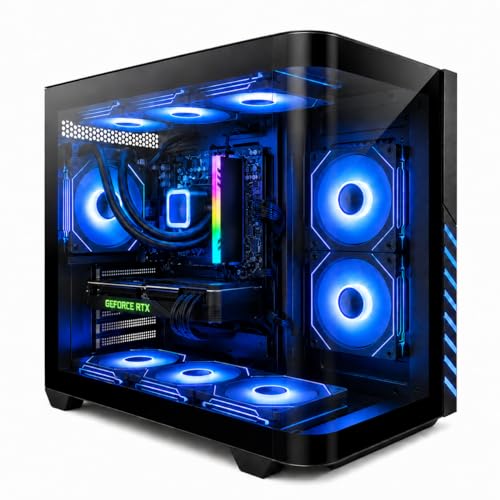
Evounic Ryzen 7 8700F RTX 4060 Ti Gaming PC
Best for: 1080p gaming with included mechanical peripherals
- Operating System
- Windows 11
- Graphics Card
- GeForce RTX 4060 Ti
- Processor
- AMD Ryzen 7 8700F
- RAM Capacity
- 16GB
- RAM Type
- DDR5
- Storage Capacity
- 1TB NVMe SSD
This Evounic desktop pairs an AMD Ryzen 7 8700F processor with an NVIDIA GeForce RTX 4060 Ti graphics card. It includes 16GB of DDR5 RAM and a 1TB NVMe SSD for fast storage. The system runs Windows 11 Pro and features liquid cooling with nine ARGB fans. It also comes with a mechanical keyboard and mouse. This setup suits gamers who want solid 1080p and 1440p performance with reliable thermal management.
- AMD Ryzen 7 8700F processor boosts up to 5GHz
- NVIDIA GeForce RTX 4060 Ti supports ray tracing
- 16GB DDR5 RAM ensures smooth multitasking
- 1TB NVMe SSD provides quick game loading
- Liquid cooling with nine ARGB fans maintains stable temperatures
- 16GB RAM capacity is lower than the 32GB found in many other list options
- RTX 4060 Ti GPU is a step below the RTX 5070 and 5080 cards in this comparison
- 1TB storage is less than the 2TB drives included with several competitors
- You want a complete plug-and-play setup with a mechanical keyboard included
- You prefer liquid cooling for stable performance during long gaming sessions
- You need Windows 11 Pro for work or school tasks
- You require 32GB of RAM for heavy content creation
- You want the latest RTX 5070 or higher graphics performance
- You need more than 1TB of storage space
Verdict: Evounic Ryzen 7 8700F RTX 4060 Ti Gaming PC fits players who value included peripherals and efficient cooling over maximum raw power or storage size. It delivers reliable 1080p and 1440p gaming for those who prioritize a balanced, ready-to-use system.
Specifications side by side
| Spec | Alienware Aurora RTX 5070 Gaming Desktop | Skytech King 95 RTX 5070 Ti Gaming PC | STGAubron Core i5 RX 550 Gaming Desktop | MSI Codex Z2 RTX 5070 Gaming Desktop | CyberPowerPC Ryzen 9 9900X RTX 5070 Gaming PC | Olialia RTX 3060 Ti Ryzen 5 5500 Gaming PC | CyberPowerPC Gamer Master RTX 5060 Ti Desktop | OKAMUS Core i5 Desktop with 8GB RAM | Skytech King 95 RTX 5080 Ryzen 7 Gaming PC | KOTIN Ryzen 7 8700F RTX 5060 Ti Gaming PC | iBUYPOWER Element RTX 5070 Ryzen 9 Gaming PC | KOTIN RTX 5070 Ryzen 7 9700X Gaming PC | OKAMUS Core i7 Integrated Graphics PC | STGAubron Ryzen 5 RTX 3050 Gaming Desktop | Evounic Ryzen 7 8700F RTX 4060 Ti Gaming PC |
|---|---|---|---|---|---|---|---|---|---|---|---|---|---|---|---|
| Graphics Card | NVIDIA GeForce RTX 5070 | NVIDIA Geforce RTX 5070 Ti 16GB GDDR7 | Radeon RX 550 4G GDDR5 | NVIDIA GeForce RTX 5070 | NVIDIA GeForce RTX 5070 12GB | RTX 3060 Ti | NVIDIA GeForce RTX 5060 Ti 8GB | Integrated Graphics Only | NVIDIA GeForce RTX 5080 16GB GDDR7 | GeForce RTX 5060 Ti 8GB | NVIDIA GeForce RTX 5070 12GB | RTX 5070 12GB GDDR7 | CPU-integrated graphics | GeForce RTX 3050 6G | GeForce RTX 4060 Ti |
| Processor | Intel Core Ultra 7 265F | AMD Ryzen 7 9800X3D | Intel Core i5 | AMD Ryzen 7 8700F | AMD Ryzen 9 9900X | AMD Ryzen 5 5500 | AMD Ryzen 7 8700F | i5 CPU | AMD Ryzen 7 9850X3D | AMD Ryzen 7 8700F | AMD Ryzen 9 7900X | AMD Ryzen 7 9700X | i7 CPU Up to 3.9GHz | AMD Ryzen 5 5500 | AMD Ryzen 7 8700F |
| RAM Capacity | 32GB | 32GB | 16GB | 32GB | 32GB | 16GB | 16GB | 8 GB | 32GB | 16GB | 32GB | 32GB | 16GB | 16GB | 16GB |
| RAM Type | DDR5 | DDR5 6000 | – | DDR5 | DDR5 | – | DDR5 | – | DDR5 6000 | DDR5 | DDR5 4800MHz | DDR5 | – | DDR4 | DDR5 |
| Storage Capacity | 1TB SSD | 2TB Gen4 NVMe M.2 SSD | 512GB SSD | 2TB SSD | 1TB PCIe 4.0 NVMe SSD | 512GB SSD | 1TB PCIe 4.0 NVMe SSD | – | 2TB NVMe M.2 SSD | 1TB PCIe Gen4 NVMe SSD | 1TB NVMe SSD | 1TB PCIe 4.0 NVMe SSD | – | – | 1TB NVMe SSD |
| Cooling Type | – | 360mm AIO Liquid CPU Cooler | – | ARGB fan Air Cooler | Liquid Cool CPU | RGB CPU cooler | – | Vertical Design CPU Cooler | 360mm AIO Liquid CPU Cooler | Air cooler with 6 copper heat pipes | – | 360mm AIO liquid cooler | – | – | Liquid cooling |
| Wireless Standard | Wi-Fi 7 | Wi-Fi 5, 802.11 AC | Wi-Fi 6 | – | WiFi 6 | WiFi 6 | WiFi 6 | WiFi 6 | WI-FI 5 802.11ac | WiFi 7 | 802.11AC Wi-Fi | WiFi 7 | WiFi 6 | Wi-Fi 6 | WiFi 6 |
| Operating System | Windows 11 Home | Windows 11 Home 64-bit | Windows 11 Home 64-bit | Windows 11 Home | Windows 11 Home | Windows 11 | Windows 11 Home | Windows 11 Home | Windows 11 Home 64-bit | Windows 11 Home | Windows 11 Home | Windows 11 Home | Windows 11 Home | Windows 11 Home 64-bit | Windows 11 Pro |
| Features | Bluetooth | – | – | – | – | RGB Lighting | – | RGB Lighting | – | – | – | – | RGB Lighting | – | – |
| Color | Black | Black | Black | Black | Black | – | Black | i5 CPU+256GB+8GB | Black | Black | White | Black | Black | Grey | Black |
| Resolution | – | – | 4K UHD | – | – | – | – | – | – | 1440p QHD | – | 1440p QHD | – | 4K UHD | – |
| Platform | – | PC | PC | – | PC | PC | PC | PC | PC | PC | PC | PC | PC | PC | PC |
| Storage | 1TB SSD | 2TB SSD | 512GB SSD | 2TB SSD | – | 512GB SSD | – | – | 2TB SSD | 1TB SSD | 1TB SSD | 1TB SSD | – | 512GB SSD | – |
| Use | Gaming | Gaming | Streaming, Video Editing, Gaming | VR, Gaming | Gaming | Streaming, Gaming | Gaming | Gaming | Gaming | Streaming, Gaming | Gaming | Gaming | – | Streaming, Video Editing, Gaming | Gaming |
| Switch Type | – | – | – | – | – | – | – | – | – | – | – | – | – | – | Mechanical |
| Connectivity | Wired | – | – | USB | – | – | – | – | – | – | – | – | – | – | – |
| Lighting | – | – | – | – | – | RGB | – | RGB | – | – | – | – | RGB | – | – |
| Capture Resolution | – | – | 4K | – | – | – | – | – | – | 1080p | – | 4K | – | 4K | – |
| Host Interface | – | – | – | – | PCIe | PCIe | PCIe | – | – | – | – | – | – | – | – |
| Video Interface | – | – | HDMI | – | – | – | – | – | – | – | – | – | – | HDMI | – |
| RAM | 32GB RAM | 32GB RAM | 16GB RAM | 32GB RAM | 32GB RAM | 16GB RAM | 16GB RAM | 8GB RAM | 32GB RAM | 16GB RAM | 32GB RAM | 32GB RAM | 16GB RAM | – | 16GB RAM |
| Cooling | – | Liquid Cooling | – | – | – | – | – | – | Liquid Cooling | – | – | Liquid Cooling | – | – | Liquid Cooling |
| Dimensions | 18.1 × 7.76 × 16.5 inches | 18.7 × 11.8 × 17.4 inches | 18.1 × 10.2 × 18.9 inches | 16 × 8.38 × 19 inches | – | – | – | – | 18.7 × 11.8 × 17.4 inches | 12.4 × 8.5 × 15.6 inches | 20 × 9.1 × 17.4 inches | 16.8 × 8.66 × 14.3 inches | – | 18.2 × 15.6 × 8.8 inches | – |
| Weight | 33.9 pounds | 48.3 pounds | – | 21.3 pounds | – | – | 39.1 pounds | – | – | – | 36 pounds | 30 pounds | – | 17.6 pounds | – |
| Size | 1 TB | – | RX 550 4G | – | GXiVR8080A41 | – | GMA2900A2 | – | – | – | – | – | – | 2817.92 cubic inches | – |
| Model | DACT1250-7229BLK-PUS | ST-KING95-1866-B-AM | ABR1222 | CodZ2A8NVP436 | GXiVR8080A41 | Gaming PC | GMA2900A2 | OKAMUS-7 | ST-KING95-2869-B-AM | KTD32BA787F16G506T8G | EWA9N5702 | KTG60BA797X3250712G | OKAMUS-8 | ABR1722 | TITAN-X9-01-PC |
Check RAM, Storage, and GPU Specs
Match RAM to multitasking needs
You should check the RAM type and capacity before buying. DDR5 memory offers faster speeds than DDR4, which helps with modern games. Most top picks include 32GB of DDR5 RAM, such as the Alienware Aurora or Skytech King 95. If you only play casual titles, 16GB is sufficient. The OKAMUS Core i5 model comes with 8GB, which is only for basic tasks. Ensure your choice matches your multitasking habits to avoid slowdowns.
Verify SSD capacity for libraries
Storage size determines how many games you can keep installed. A 1TB SSD is standard for many systems like the Alienware Aurora or MSI Codex Z2. If you have a large game library, look for 2TB options like the Skytech King 95 or MSI Codex. Budget models may only offer 512GB or 256GB, which fills up quickly. Check the storage spec to ensure you have enough space for your favorite titles without needing external drives.
Align GPU with target resolution
Your graphics card must handle your monitor's resolution. High-end GPUs like the RTX 5080 in the Skytech King 95 suit 4K gaming. The RTX 5070 in the Alienware Aurora handles 1440p well. For 1080p gaming, an RTX 3060 Ti or RTX 4060 Ti is adequate. The OKAMUS model uses integrated graphics, which is not for serious gaming. Match the GPU power to your display to ensure smooth frame rates.
Consider cooling for sustained performance
Cooling methods affect how long a PC can run at peak performance. Liquid cooling is common in high-end towers like the Skytech King 95 and Evounic Ryzen 7 models. This system keeps temperatures low during long sessions. Air-cooled systems are also effective but may be louder. Check if the product data mentions liquid cooling if you plan to stream or game for hours. Better cooling helps maintain consistent speeds without throttling.
Check physical dimensions for space
Measure your desk or shelf before ordering. Tower sizes vary significantly. The Alienware Aurora is 16.5 inches tall and 18.1 inches long. The Skytech King 95 is wider at 11.8 inches. The KOTIN Ryzen 7 model is more compact at 15.6 inches tall. Ensure your chosen PC fits your available space. You should also consider weight, as some models exceed 40 pounds. Proper sizing ensures the PC sits securely and allows for airflow.
Select color to match decor
Most gaming PCs come in black, but white options exist. The iBUYPOWER Element features a white case for those who prefer a lighter aesthetic. Other models like the Alienware and Skytech are black. Grey options are available with the STGAubron Ryzen 5. Choose a color that fits your room setup. The color does not affect performance, but it changes how the PC looks on your desk. Check the product attributes to see the available finish.
Frequently asked questions
Which gaming PC has the best onsite support?
The Alienware Aurora RTX 5070 Gaming Desktop is the top choice for users who prioritize onsite service. It includes Wi-Fi 7 connectivity and 32GB of DDR5 RAM. This model suits those who value brand support and modern Intel internals over maximum storage capacity.
What is the best gaming PC for 4K gaming?
The Skytech King 95 RTX 5080 Ryzen 7 Gaming PC delivers top-tier specs for high-resolution gaming. It features a Ryzen 7 9850X3D processor, 32GB of DDR5 RAM, and liquid cooling. This system fits players who prioritize raw power and thermal efficiency over compact size.
Which PC is best for VR gaming?
The MSI Codex Z2 RTX 5070 Gaming PC fits users who prioritize VR capabilities and ample DDR5 memory. It includes a Ryzen 7 processor and 32GB of RAM in a single tower. This is ideal for gamers who want high-end graphics without managing multiple components.
What is the best budget gaming PC?
The OKAMUS Core i5 Desktop with 8GB RAM suits beginners who only need basic computing power. It uses integrated graphics and is not suitable for serious gamers needing dedicated video cards. This system fits tight budgets but offers limited performance for demanding titles.
Which PC is best for 1080p gaming?
The KOTIN RTX 5070 Ryzen 7 9700X Gaming PC delivers reliable 1080p performance with modern DDR5 memory and WiFi 7. It fits gamers who prioritize current-generation connectivity and upgradability. This model offers strong 1440p performance for those wanting a complete, ready-to-play setup.
What is the best white gaming PC?
The iBUYPOWER Element RTX 5070 Ryzen 9 Gaming PC is the best option for those wanting a white aesthetic. It includes 32GB of DDR5 RAM and an RTX 5070 graphics card. This model fits buyers who prioritize color and substantial RAM capacity over maximum storage size.

