As Amazon Associates, we earn from qualifying purchases. This means we may receive a small commission at no extra cost to you if you click through and make a purchase.
As an Amazon Associate we earn from qualifying purchases. Links on this page are affiliate links.
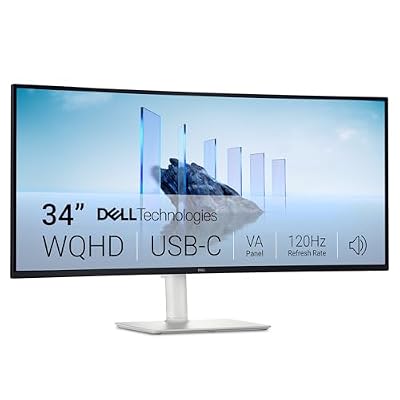
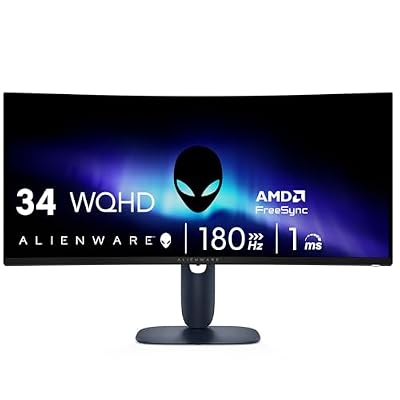
Choosing between a 32 Inch vs 34 Inch gaming monitor depends on your desk space and visual preferences. Both options offer high refresh rates for smooth gameplay. The Sceptre model provides a traditional rectangular 16:9 aspect ratio with built-in speakers. The SANSUI option delivers a 21:9 ultrawide curved display for expanded horizontal viewing. You must decide if you prioritize immersive width or compact standard dimensions for your setup.
Screen Size
32 inches
34 inches
Aspect Ratio
16:9
21:9 Ultrawide
Resolution
2560 x 1440
3440 x 1440
Refresh Rate
210Hz
200Hz
Screen Curvature
Flat
1500R Curved
Built-in Speakers
Yes
No
Choose the first if
- You prefer a standard 16:9 aspect ratio for traditional gaming and media
- You want built-in speakers to reduce desk clutter
- You need the highest refresh rate available at 210Hz
Choose the second if
- You want a wider field of view with a 21:9 ultrawide screen
- You prefer an immersive curved display with 1500R curvature
- You need higher horizontal resolution at 3440 x 1440
Verdict
The Sceptre 32-inch monitor suits you if you value a compact footprint, built-in audio, and the highest refresh rate. The SANSUI 34-inch ultrawide is better if you want immersive curved visuals and extra horizontal screen real estate for multitasking or racing games.
32 vs 34 Inch Monitor Specs
Screen size and resolution
Edge: Tie
The Sceptre 32-inch model offers a standard 16:9 aspect ratio with a 2560 x 1440 QHD resolution. This provides a familiar rectangular view ideal for most games and desktop tasks. The SANSUI 34-inch monitor features an ultrawide 21:9 format with a 3440 x 1440 UWQHD resolution. The wider screen gives you more horizontal space for multitasking and immersive gaming. You get slightly higher pixel density on the 32-inch, but the 34-inch offers a broader field of view.
Refresh rate and response
Edge: Sceptre 32-Inch QHD 210Hz USB-C Monitor
Both monitors target high-performance gaming with fast refresh rates. The Sceptre achieves up to 210Hz via USB Type-C, ensuring very smooth motion. It lists a 1ms Blur Reduction (BR) response time. The SANSUI reaches 200Hz over HDMI 2.1 and DP 1.4, with a 1ms On-Diode (OD) response time. Both speeds are excellent for competitive titles. The Sceptre has a slight edge in maximum refresh rate, while the SANSUI matches it closely with its own fast panel technology.
Curvature and ergonomics
Edge: SANSUI 34-Inch Curved 200Hz Ultrawide Monitor
The SANSUI 34-inch monitor comes with a 1500R curvature, wrapping the display around your field of view for better immersion. This design is common for ultrawide screens to reduce edge distortion. The Sceptre 32-inch is a flat panel, which some users prefer for precise alignment in tactical shooters. Both supports allow tilt adjustments and are VESA compatible for wall mounting. The SANSUI also includes a Kensington Lock slot for security. If you want a curved experience, the SANSUI is the clear choice.
Audio and connectivity
Edge: Sceptre 32-Inch QHD 210Hz USB-C Monitor
Audio output differs significantly between the two. The Sceptre includes built-in speakers, which helps keep your desk clutter-free by removing the need for external audio devices. It also provides an Audio Out Jack. The SANSUI does not have built-in speakers, requiring you to use headphones or external speakers. For video inputs, the Sceptre offers two HDMI ports and one DisplayPort, plus USB Type-C. The SANSUI provides two HDMI 2.1 ports and one DisplayPort 1.4. Both offer versatile connectivity options.
Color performance and sync
Edge: Sceptre 32-Inch QHD 210Hz USB-C Monitor
The Sceptre highlights 115% sRGB color gamut coverage, which ensures vibrant and accurate colors for creative work and media. It uses AMD FreeSync Premium for variable refresh rate support to prevent screen tearing. The SANSUI lists HDR support and AdaptiveSync compatibility. While it does not specify a color gamut percentage in the provided data, the Fast VA panel aims for high performance. The Sceptre gives you more specific data on color accuracy, making it a safer bet for color-critical tasks.
Physical dimensions and weight
Edge: Sceptre 32-Inch QHD 210Hz USB-C Monitor
Size and weight matter for desk space. The Sceptre 32-inch measures 28.2 inches wide and weighs 10.1 pounds. It is lighter and narrower. The SANSUI 34-inch is wider at 31.8 inches and heavier at 15.4 pounds due to the larger panel and curved structure. Both monitors have a black finish. If you have limited desk width, the Sceptre fits more easily. The SANSUI requires a wider surface to accommodate its ultrawide footprint and greater depth.
Which 32 or 34 Inch Monitor Fits You
You need built-in audio and USB-C connectivity
Our pick: Sceptre 32-Inch QHD 210Hz USB-C Monitor
The Sceptre 32-inch model includes integrated speakers, saving desk space by eliminating the need for external audio gear. It also features a USB Type-C port, offering versatile connectivity for data and video. This makes it a practical choice for users who want a streamlined setup with fewer cables and convenient audio options directly from the monitor.
You prefer immersive ultrawide visuals and HDR
Our pick: SANSUI 34-Inch Curved 200Hz Ultrawide Monitor
The SANSUI 34-inch monitor provides a 21:9 ultrawide aspect ratio with a 1500R curve, creating an immersive field of view for gaming. It supports HDR and features AdaptiveSync technology. If you value a wider, curved screen that fills more of your peripheral vision and offers enhanced color depth, this ultrawide option is the better fit for your experience.
You want a traditional 16:9 rectangular display
Our pick: Sceptre 32-Inch QHD 210Hz USB-C Monitor
The Sceptre 32-inch model uses a standard 16:9 aspect ratio, which is the most common format for games and desktop applications. This shape ensures that content fits the screen without black bars or distortion. If you prefer a familiar rectangular layout that works seamlessly with most software and games, this traditional format is the right choice for your workflow.
| # | Product | Best for | Price |
|---|---|---|---|
| 1 | Sceptre 32-Inch QHD 210Hz USB-C Monitor | Standard 16:9 gamers wanting high speed | |
| 2 | SANSUI 34-Inch Curved 200Hz Ultrawide Monitor | Ultrawide gaming with high refresh rates |

Sceptre 32-Inch QHD 210Hz USB-C Monitor
Best for: Standard 16:9 gamers wanting high speed
- Screen Size
- 32 Inch
- Resolution
- 2560 x 1440
- Refresh Rate
- 210Hz
- Response Time
- 1ms BR
- Sync Technology
- AMD FreeSync Premium
- Features
- Built-in Speakers
The Sceptre 32-inch monitor delivers a 2K QHD resolution with a 210Hz refresh rate and 1ms response time. It features a VA panel with 115% sRGB coverage and AMD FreeSync Premium. Built-in speakers and USB Type-C connectivity add convenience. This display suits gamers seeking high speed and vibrant colors on a standard 16:9 screen.
- 210Hz refresh rate for smooth visuals
- 115% sRGB color gamut for vibrant images
- Built-in speakers reduce desk clutter
- USB Type-C port supports 210Hz output
- Standard 16:9 aspect ratio limits horizontal field of view compared to ultrawide options
- VA panel may exhibit slower pixel transition times than IPS alternatives
- You want a high refresh rate on a standard 16:9 screen
- You prefer built-in audio to keep your desk tidy
- You value wide color coverage for multimedia tasks
- You need an ultrawide 21:9 or 32:9 aspect ratio
- You require an IPS panel for faster pixel response
- You prefer a smaller 27-inch footprint
Verdict: Sceptre 32-inch 210Hz Gaming Monitor offers a fast 210Hz refresh rate and vibrant 115% sRGB colors for standard 16:9 setups. It fits players who want high-speed visuals without the width of an ultrawide display.

SANSUI 34-Inch Curved 200Hz Ultrawide Monitor
Best for: Ultrawide gaming with high refresh rates
- Screen Size
- 34 Inch
- Resolution
- 3440 x 1440
- Refresh Rate
- 200Hz
- Response Time
- 1ms
- Panel Type
- Fast VA
- Sync Technology
- AdaptiveSync
This SANSUI monitor gives you a 34-inch ultrawide canvas with a 3440 x 1440 resolution. The 1500R curve wraps around your view for better immersion. You get a 200Hz refresh rate and 1ms response time for smooth gameplay. It supports AdaptiveSync to reduce screen tearing. This setup suits players who want a wide field of view without waiting for slow frame updates.
- 3440 x 1440 UWQHD resolution
- 200Hz refresh rate
- 1500R curved screen
- 1ms response time
- Heavier at 15.4 pounds
- Larger footprint than 32-inch models
- You want a wide ultrawide field of view
- You need high refresh rates for fast games
- You have a large desk for the 34-inch width
- You prefer a compact 27-inch screen
- You need built-in speakers for audio
- You want a flat display for precise alignment
Verdict: SANSUI 34-Inch Curved 200Hz Monitor delivers a fast, immersive ultrawide experience for gamers who value screen real estate and speed. It fits players who want a wide view and do not mind a heavier, larger display.
Specifications side by side
| Spec | Sceptre 32-Inch QHD 210Hz USB-C Monitor | SANSUI 34-Inch Curved 200Hz Ultrawide Monitor |
|---|---|---|
| Screen Size | 32-inch | 34" |
| Resolution | 2560 x 1440 | 3440 x 1440 |
| Refresh Rate | 210Hz | 200Hz |
| Response Time | 1ms BR | 1ms |
| Panel Type | – | Fast VA |
| Sync Technology | AMD FreeSync Premium | AdaptiveSync |
| HDR Support | – | HDR |
| Screen Curvature | – | 1500R |
| Features | Built-in Speakers | HDR |
| Color | Machine Black | Black |
| Use | Gaming | Gaming |
| Connectivity | USB | – |
| Video Interface | HDMI | – |
| Dimensions | 8.32 × 28.2 × 19.5 inches | 8.6 × 31.8 × 18 inches |
| Weight | 10.1 pounds | 15.4 pounds |
| Size | 32 inches | 34 Inch |
| Model | E325B-QW200D | ES-G34C5 |
Frequently asked questions
Is a 32 inch or 34 inch monitor better for gaming?
The choice depends on your preferred aspect ratio. The 32-inch Sceptre model uses a standard 16:9 shape, which suits most traditional games. The 34-inch SANSUI option provides an ultrawide view. This wider screen offers more horizontal space for immersive gameplay or multitasking.
Which monitor has a higher refresh rate?
The Sceptre 32-inch monitor leads with a 210Hz refresh rate. The SANSUI 34-inch ultrawide monitor operates at 200Hz. Both speeds ensure smooth motion for fast-paced titles. You get high frame rates regardless of the size you select.
Do 32 inch and 34 inch monitors have the same resolution?
Yes, both models share a 1440p QHD resolution. The Sceptre 32-inch and SANSUI 34-inch displays both use 2560 x 1440 pixels. This clarity level provides sharp images on both screen sizes. You maintain visual fidelity across different widths.
Does the 34 inch monitor come with built-in speakers?
No, the SANSUI 34-inch model does not list built-in speakers in its attributes. The Sceptre 32-inch model includes integrated audio. If you need internal sound, the 32-inch option is the practical choice. You may need external speakers for the ultrawide unit.
Which monitor is lighter and easier to mount?
The Sceptre 32-inch monitor weighs 10.1 pounds. The SANSUI 34-inch model is heavier at 15.4 pounds. The lighter 32-inch unit is easier to handle and mount on standard VESA arms. Consider your desk stand or mount capacity when deciding.
Is the 34 inch monitor curved?
Yes, the SANSUI 34-inch ultrawide monitor features a curved design. This shape wraps around your field of view for immersion. The Sceptre 32-inch model is a flat panel. Choose the curve if you prefer an enveloping visual experience.
Which monitor offers USB connectivity?
The Sceptre 32-inch monitor provides USB connectivity, including a USB Type-C port. This allows for versatile connections to peripherals or devices. The SANSUI 34-inch data does not specify USB ports. Check your cable needs before choosing the ultrawide option.